Migrate from myFBO to Tailplane


In short
- myFBO closed on 31 August 2026. myfbo.com now redirects to CAMP Aviate, a fueling and FBO software site. You can no longer log in or export data.
- If you downloaded your myFBO database backup (a
.bakfile) before the shutdown, email it to help@tailplane.com. We extract your members, aircraft, and upcoming bookings and load them into a free Tailplane account. - If you have no backup, you can rebuild your member list from a spreadsheet. The Tailplane importer needs only an email column.
- Tailplane has no set-up fees and no monthly fees.
What happened to myFBO
myFBO served flight schools, flying clubs, and FBOs for more than 25 years and closed on 31 August 2026. The company posted no closure notice on its website. Account holders got the date in account notices, and some customers posted it on their own sites.
As of September 2026, the myfbo.com homepage, the login page, and the help site all redirect to CAMP Aviate, a fueling and FBO software site. The myFBO application is offline. You can no longer sign in, run reports, or download your database.
Step 1: Find your myFBO data
If you downloaded the database backup
myFBO offered one export, a database download for Senior System Administrator logins. It produced one file with a .bak extension, a Microsoft SQL Server backup of your whole account. It contains:
- Customers and members: students, renters, instructors, and staff
- Aircraft, simulators, and other resources, including rates
- Reservations, dispatch, and check-in history
- Training records and curriculum progress
- Customer account balances, receipts, and invoices
Look for the file in these places:
- The Downloads folder on the computer you used for myFBO administration.
- Your email, if you sent the file to yourself or a colleague.
- Cloud storage such as Google Drive, Dropbox, or OneDrive.
- External drives or a backup service.
Check the file size. A zero-byte or one-kilobyte file means the download failed.
Excel cannot open a .bak file. Restoring one takes Microsoft SQL Server, and we do that part for you in Step 3.
If you have accounting exports
The myFBO Customer Accounting module exported to QuickBooks. If you used it, your accounting system holds a customer list with names and, in most cases, email addresses. Export that list to CSV or Excel. You can rebuild your members in Tailplane from it.
If you have nothing
You need two lists:
- Members. Export contacts from your email account, newsletter tool, or CRM. The Tailplane import needs only the email address. First name, last name, and mobile number are optional.
- Aircraft. Most schools can type their fleet from memory. For each aircraft you need the registration, the type, and the home location.
In this case you lose the myFBO bookings. Ask your instructors for their upcoming lessons and enter them in Tailplane.
Step 2: Create a free Tailplane account
Go to tailplane.com/get-started and enter your email address. Tailplane has no set-up fees and no monthly fees, and you do not need a credit card.
During sign-up you enter your name, mobile number, and organization name. After sign-in, add your first location and set its time zone. All bookings at that location use it.
Step 3: Send us your data and we import it
The offer for myFBO schools has no deadline.
- Email your
.bakfile, or your member and aircraft spreadsheets, to help@tailplane.com. Use the same email address you used to sign up. For large.bakfiles, share a cloud storage link instead of an attachment. - We extract your members, aircraft and simulators, and upcoming bookings, and load them into your account.
- We send you a summary to review. You then invite your members with one click.
We finish most imports within a few business days. You can create bookings and add aircraft yourself in the meantime, and we merge the two sets when we load your file.
We leave out training records, account balances, invoices, and fuel or shop transactions, because Tailplane has no modules for them today. Keep your accounting system for balances and keep the .bak file as your archive.
Step 4: Or import members yourself from a spreadsheet
The Tailplane importer accepts a .xlsx or .csv file with one member per row. A header row is optional, and file size has no limit.
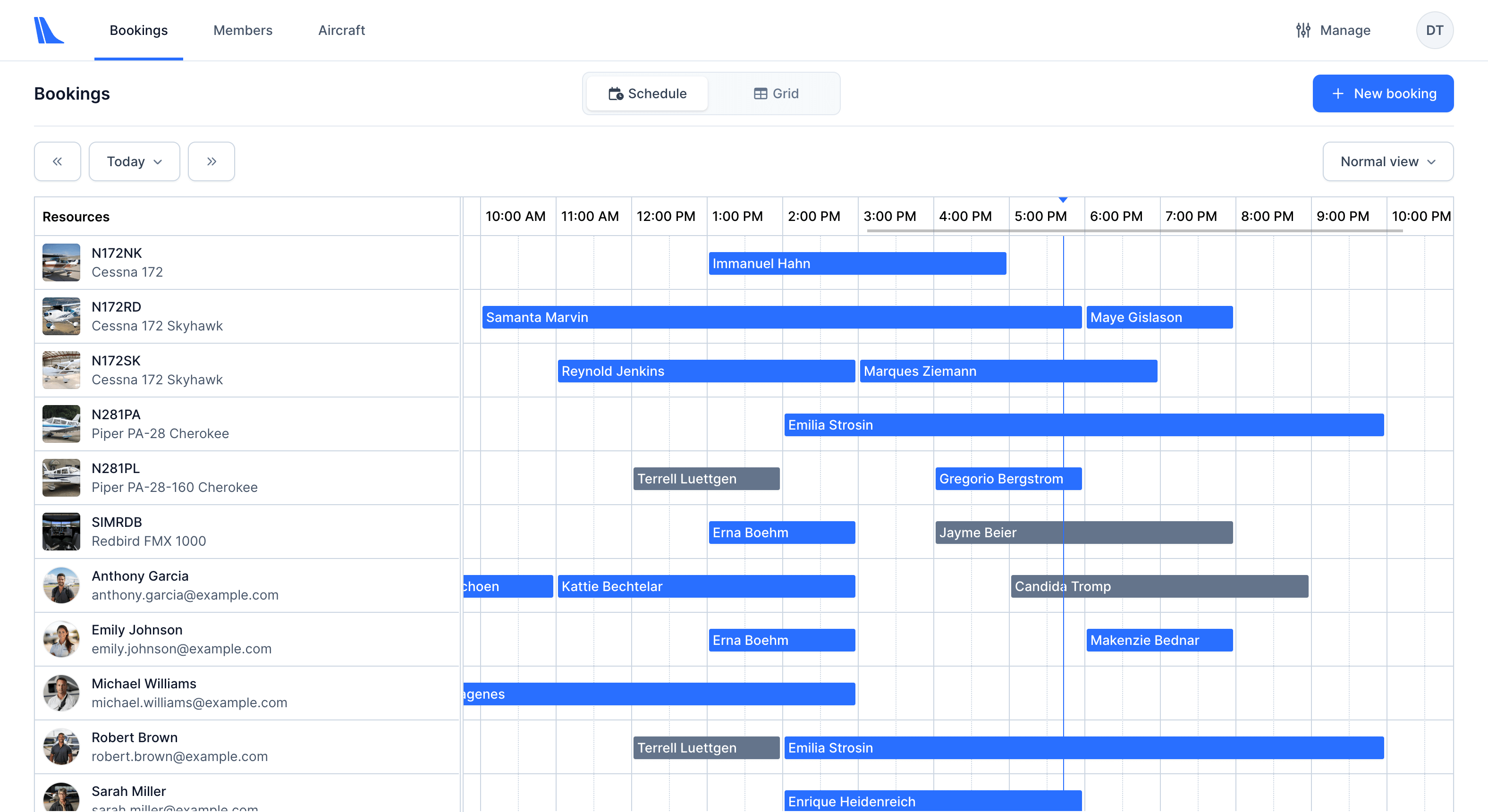
- Open Members in the top navigation and click Import.
- Drag your spreadsheet into the upload form, or click the form to pick the file.
- Select whether your file has a header row, then map each column to a Tailplane field. Only the email column is required. First name, last name, and mobile phone are optional. Column order does not matter. Choose No mapping for data you do not have, and members fill it in when they accept the invitation.
- Choose the default membership type, Student or Pilot. Students cannot make aircraft-only rental bookings. You can change the type per member later.
- Review the table and click Complete import. Tailplane creates the members and sends each one an invitation email with a link to the booking portal at book.tailplane.com.
To add a single member later, use the Invite member button on the members list. The full walkthrough is in Import and invite your existing members to Tailplane.
Step 5: Set up the rest
Once members and aircraft are in, finish these before you announce the switch:
- Locations. Add each aerodrome you operate from, with its time zone.
- Aircraft and simulators. Check registrations, types, and home locations. Mark any aircraft that is out of service for maintenance or inspection.
- Documents. Upload airworthiness certificates, insurance, and pilot licenses, and set the expiry dates. Tailplane tracks them for you.
- Booking portal. Open book.tailplane.com and make a test booking as a student.
- Announce. Email your members the portal link. Their invitation email already contains it.
What Tailplane does not replace yet
Check these gaps before you switch:
| myFBO module | Tailplane today |
|---|---|
| Online scheduling and dispatch | Included |
| Aircraft maintenance tracking | Included |
| Reports and Excel export | Included |
| Customer accounting and invoicing | Coming soon. |
| Curriculum and training records | Coming soon. |
| Fuel sales, ramp automation, shop orders, inventory | Coming soon. |
If your business depends on fuel sales or shop orders, get in touch to discuss your needs.
Get help
Email sales@tailplane.com with your myFBO file, or help@tailplane.com with questions about the importer. To see how Tailplane compares to myFBO feature by feature, read the myFBO alternative page.
Move your school to Tailplane for free
Get started for free today and join dozens of flight schools that use Tailplane to plan and manage their operations.