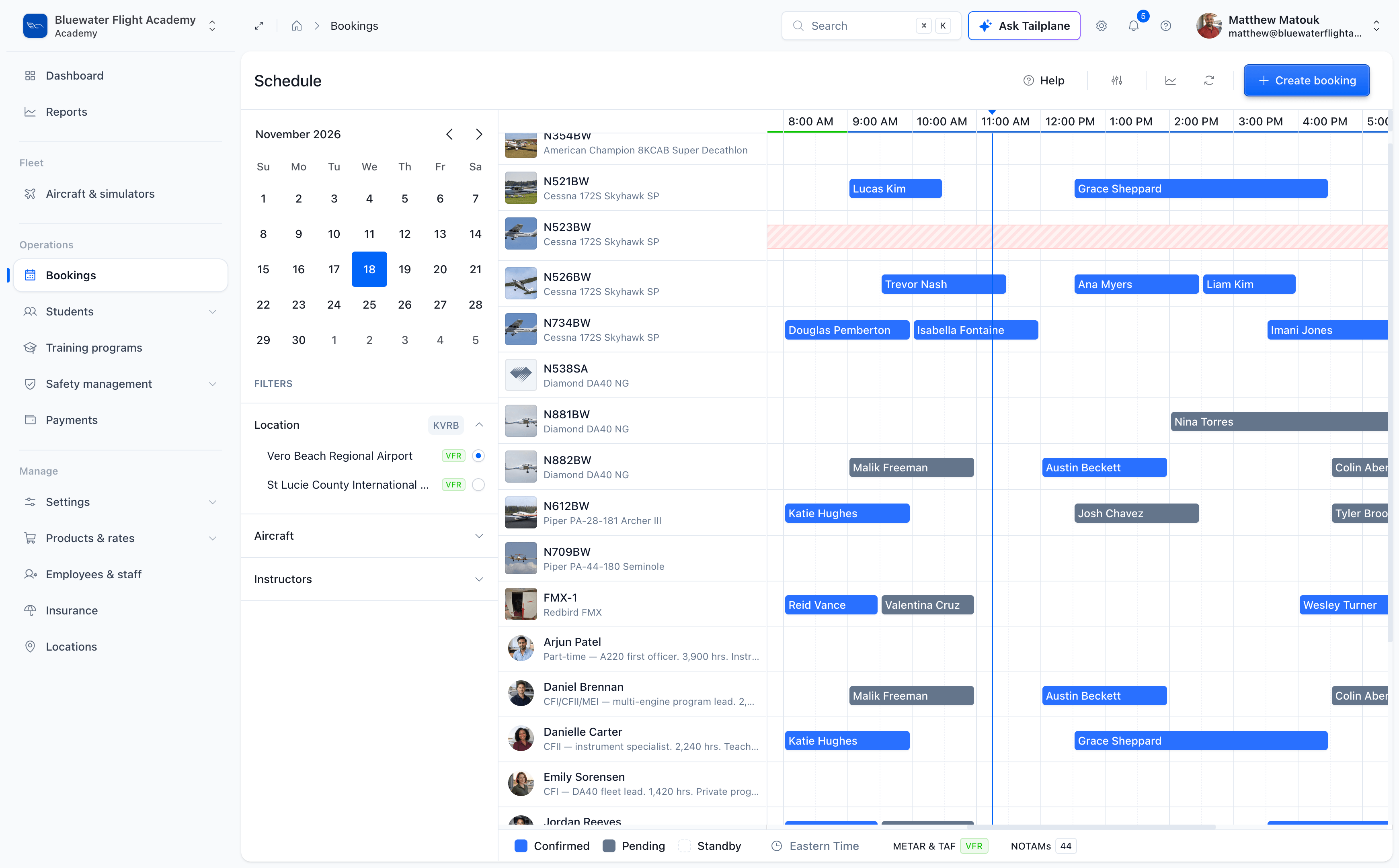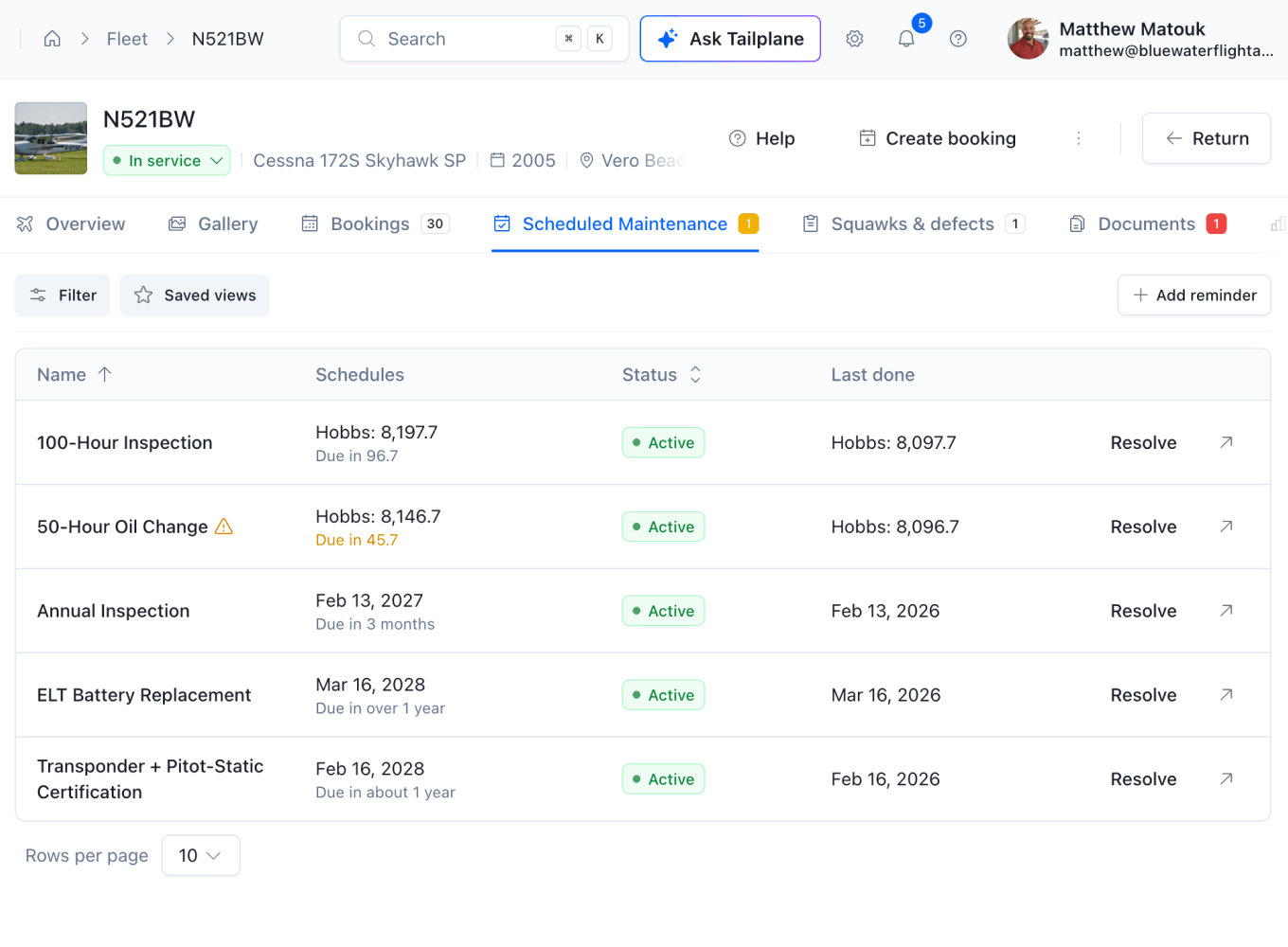
Inspection tracking. Set up 100-hour inspections, annuals, oil changes and any other recurring item, due by months, hours or whichever comes first. The next due date or hours are calculated when you sign one off.
Track Hobbs and tach, inspections, squawks and insurance for every aircraft and simulator. Meter readings are taken from each debrief, so the hours left on every inspection are current after each flight.
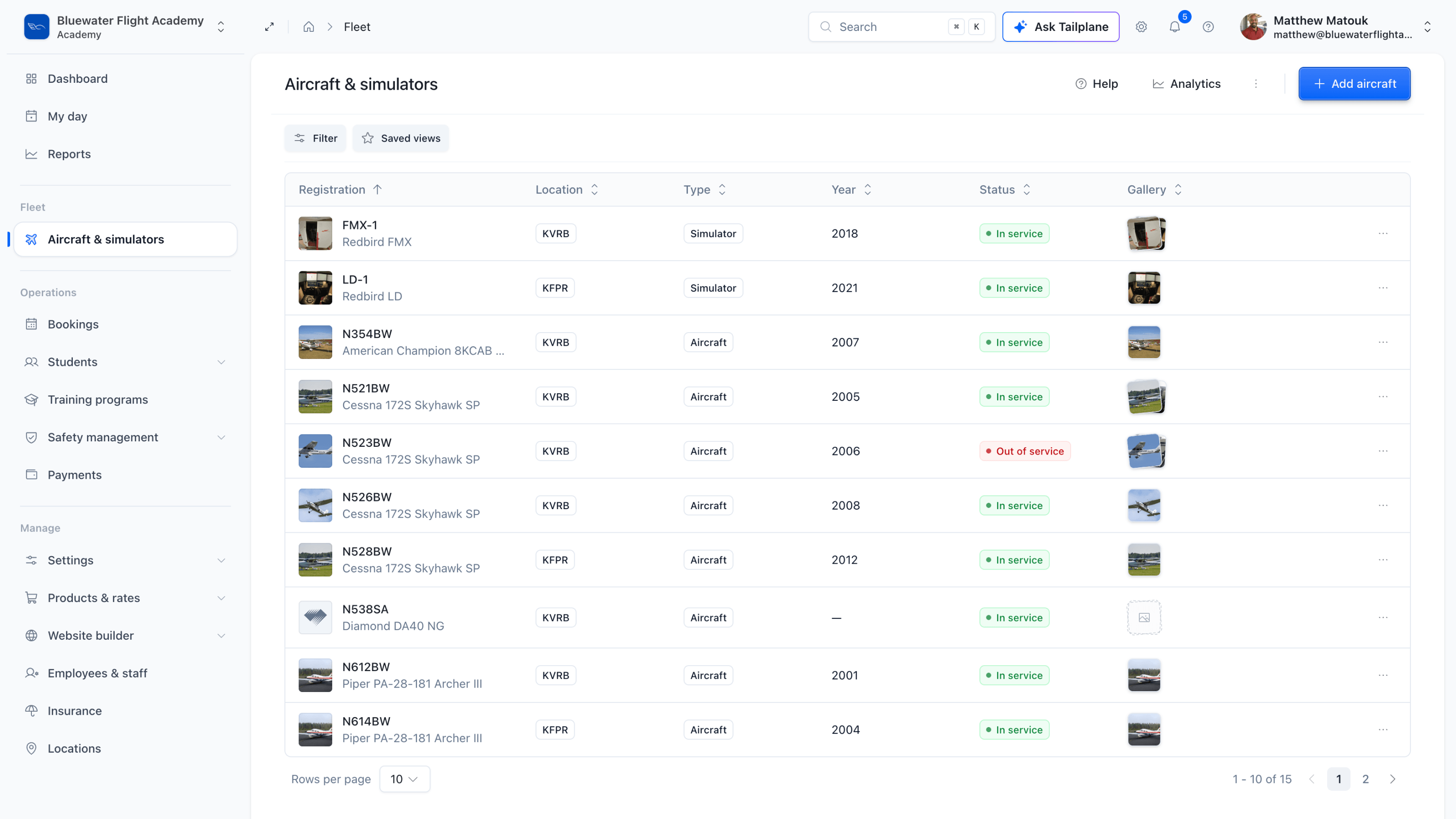
Aircraft profile. See current Hobbs and tach, open squawks with the most severe first, upcoming inspections, active insurance and documents that expire within 30 days, all on one overview screen for each aircraft.
Hours from the flight log. Use the Hobbs and tach readings from each debrief as the aircraft's official readings. Each new reading must be higher than the previous one.
Rates and billing basis. Define your own student groups and set each group's hourly price on each aircraft's rate card, in any of your currencies and with a tax rate for each card. Choose whether each aircraft is billed by Hobbs, tach or block time.
Track each recurring inspection by calendar, by hours or both. Let instructors report squawks and maintenance staff record what was done about each one.
Inspection tracking. Set up 100-hour inspections, annuals, oil changes and any other recurring item, due by months, hours or whichever comes first. The next due date or hours are calculated when you sign one off.
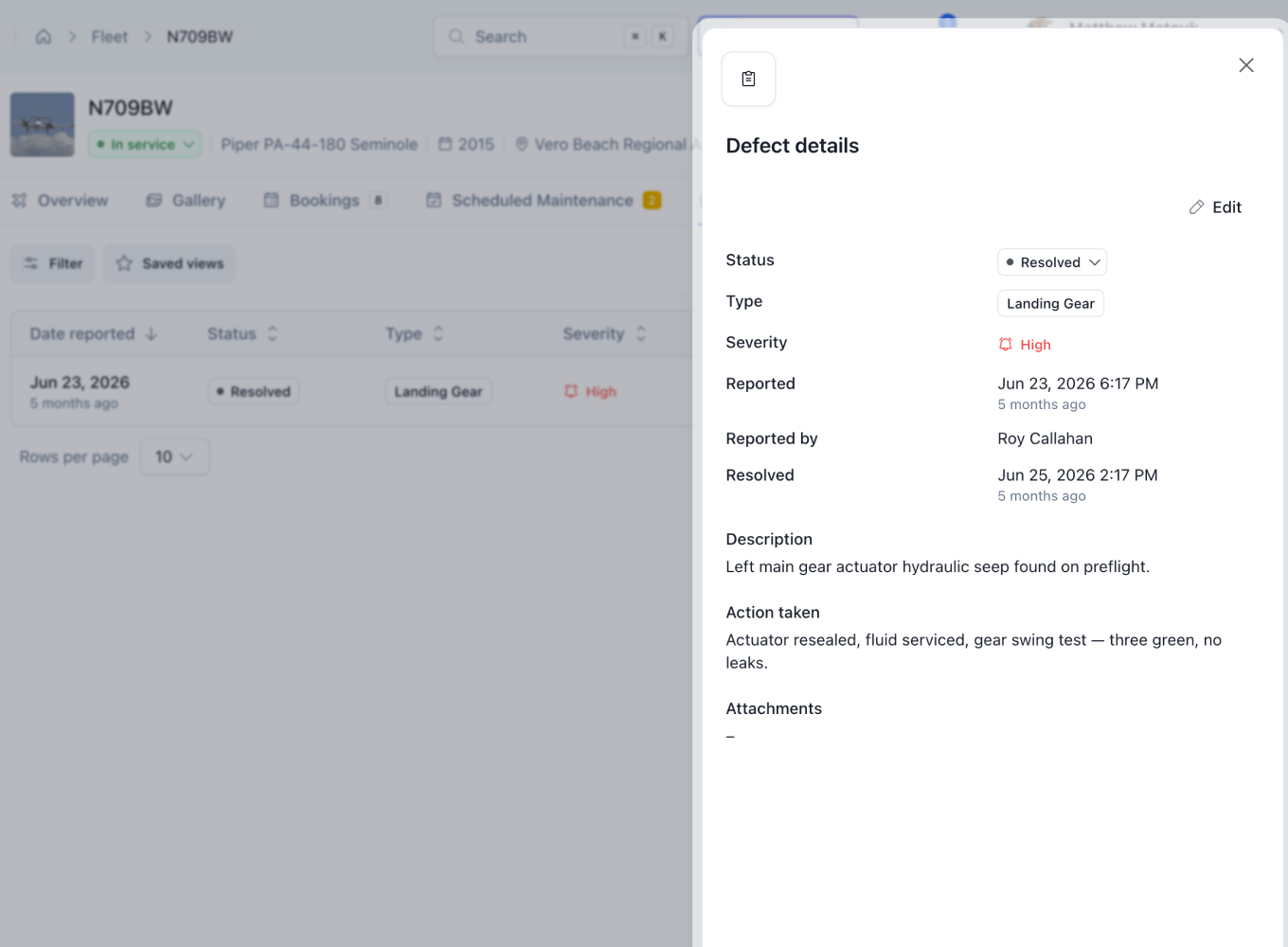
Squawks. Let instructors report a squawk with its type, severity and photos, linked to the booking where it was found. Mark each one acknowledged, open, deferred, rejected or resolved, and record the action taken.
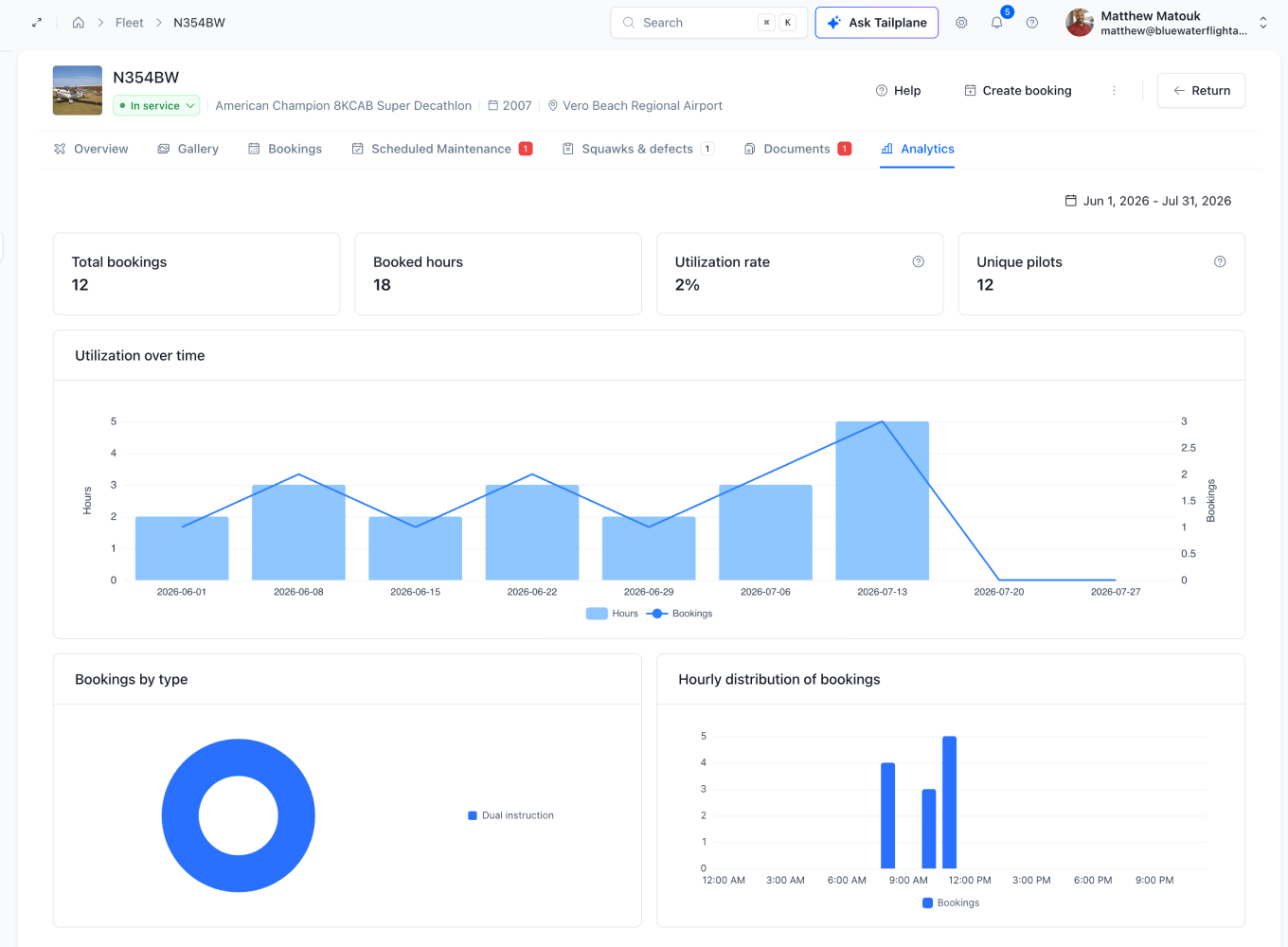
Utilization analytics. See bookings, hours flown, number of pilots and utilization rate for any aircraft and date range, and break bookings down by type and hour of the day. Utilization is the share of the base's bookable hours that the aircraft was booked.
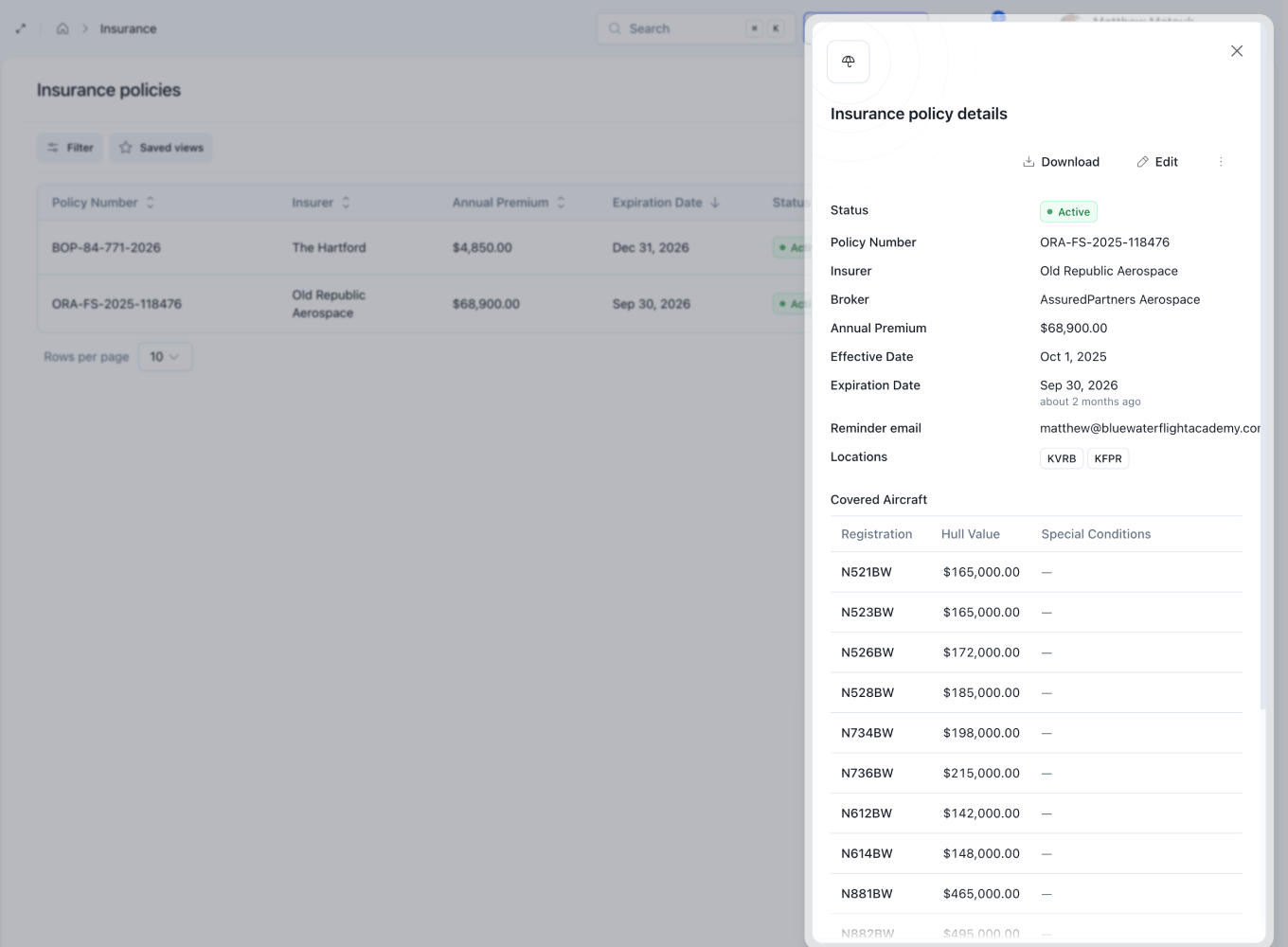
Insurance. Record each policy with its carrier, premium, covered aircraft, hull values and special conditions. A reminder is emailed 30 days before a policy expires and again on the expiry date, unless a renewal has been added.
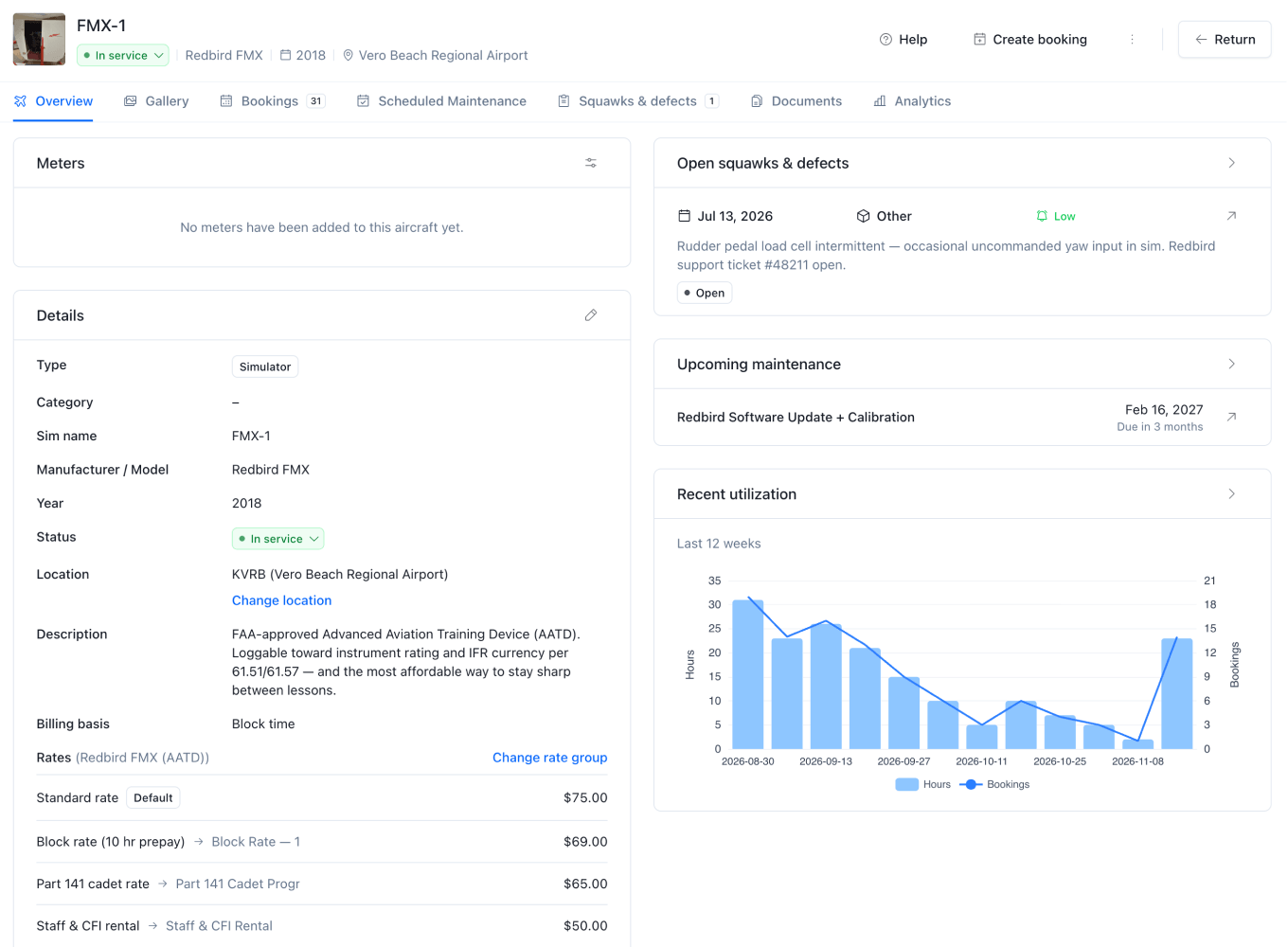
Simulators. Add simulators with their device type (FAA BATD, AATD, FTD or FFS, EASA FNPT, FTD or FFS, and others), the aircraft they simulate and the approving authority. Book and bill them the same way as aircraft.
Import from a spreadsheet. Upload your current aircraft list. Registrations, makes, models, years and bases are read from it and checked for duplicates.
Aircraft data in safety reports. Each aircraft's ECCAIRS category and model are filled in when it's added to a safety report or an E5X export.
Custom meters. Track Hobbs, tach or any other meter, as a decimal counter or in hours and minutes. Enter readings by hand when needed.
Aircraft documents. Attach documents to each aircraft, and see the ones that expire within 30 days on the aircraft page.
Student aircraft catalog. Show students each aircraft's photos, details, base and their own hourly price before they book.
Ask Tailplane. Ask "Which aircraft have open squawks?" or "Set N123AB out of service." Changes are made only after you approve them.
Aircraft and instructor scheduling
Progress tracking and records
SMS and regulatory compliance
Invoicing and online payments
Self-service for students
Ask questions and make changes by chat
Create your school's website