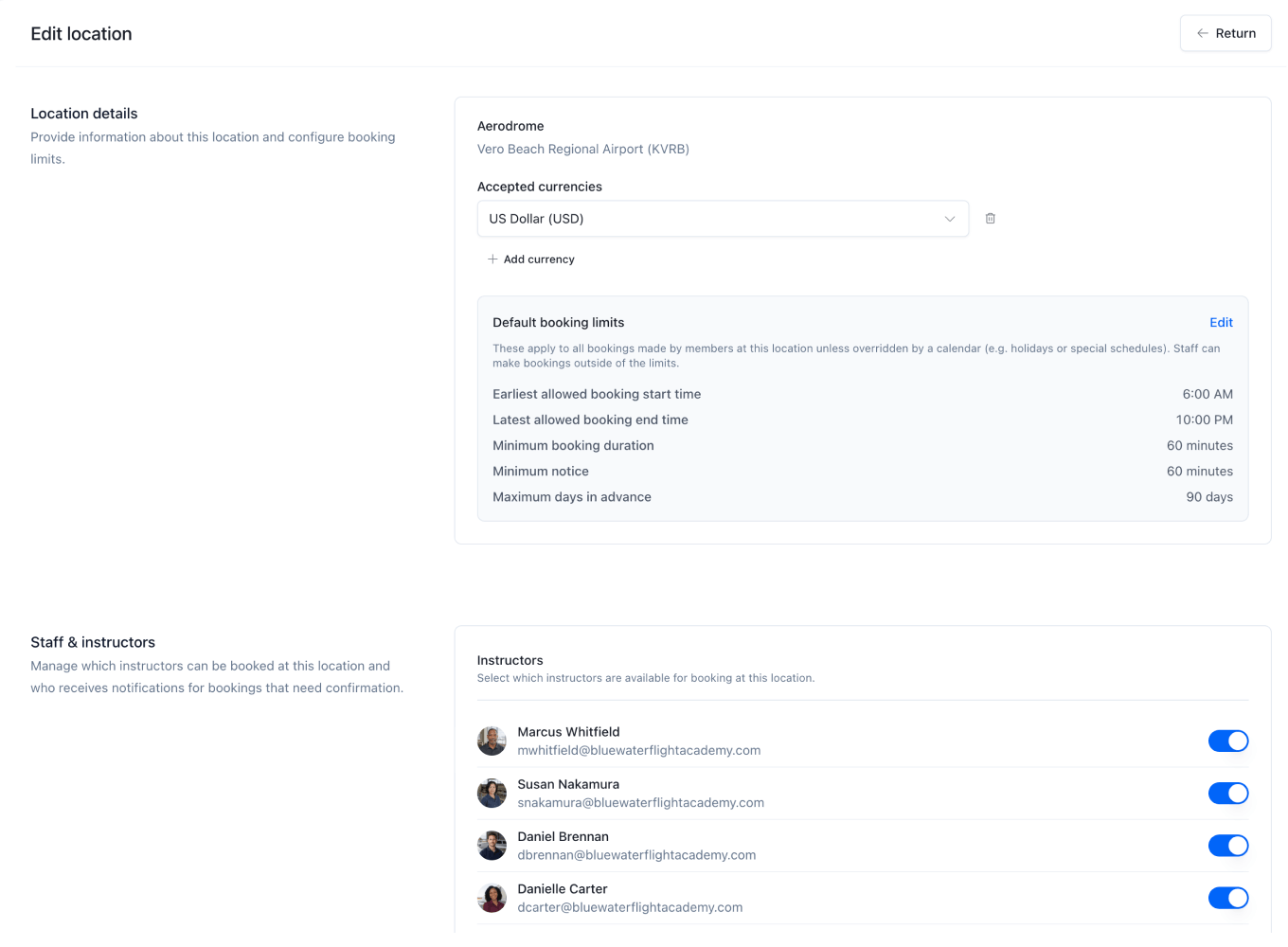
Booking rules. Set the earliest start, latest end, minimum length, minimum notice and how far ahead students can book at each location, and let staff override them when needed. Double bookings of a pilot, instructor or aircraft are blocked.
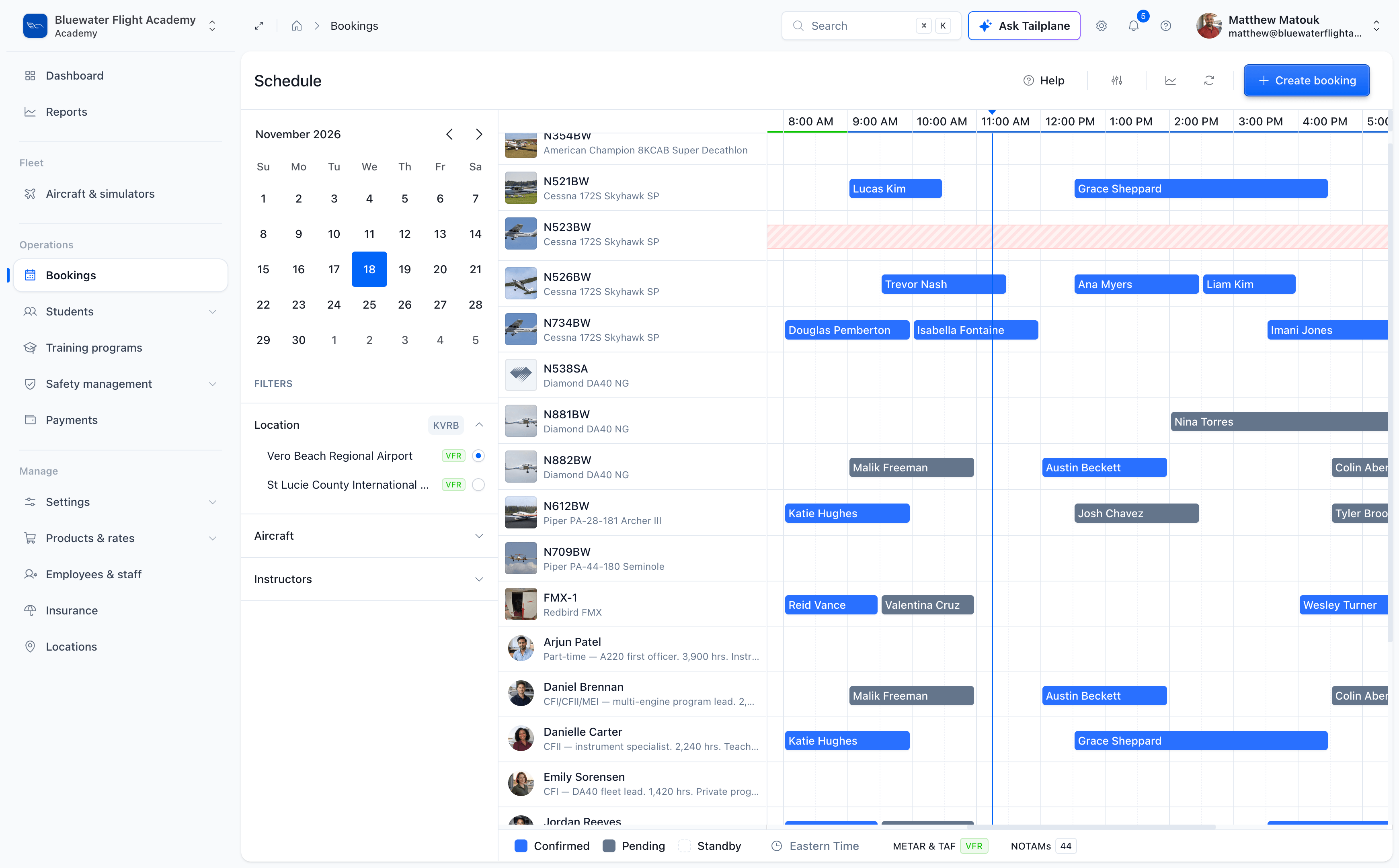
Book aircraft, simulators, instructors and classrooms on one schedule. Every booking is checked against your rules and sent for approval, and freed slots go to students on the standby list.
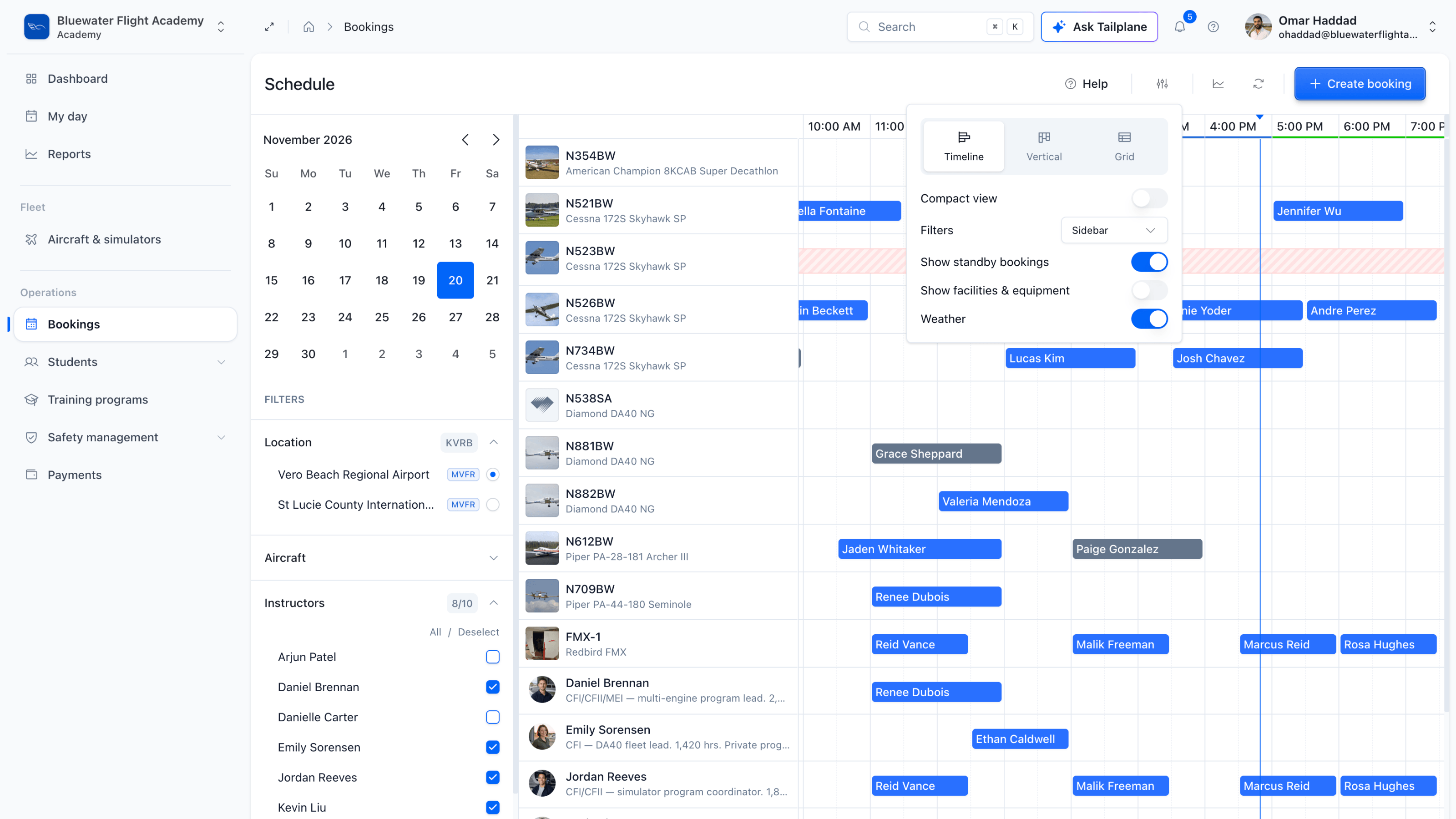
Drag-and-drop calendar. Create bookings from the schedule, and drag them to change the time, length or aircraft. Choose the layout, filters and details that fit the way you work.
Multiple locations. Switch between your bases, each with its own time zone and booking rules. See the METAR, TAF and NOTAMs for each base, with forecast flight rules shown along the schedule timeline.
Everything at a glance. See aircraft, simulators, instructors, classrooms and equipment on one schedule, with out-of-service aircraft marked. Show or hide standby bookings.
Set booking rules for each location, and record the debrief on the booking after each flight. Hobbs and tach go to the aircraft's hours, grades to the student's training record, and flight time and landings to the invoice.
Booking rules. Set the earliest start, latest end, minimum length, minimum notice and how far ahead students can book at each location, and let staff override them when needed. Double bookings of a pilot, instructor or aircraft are blocked.
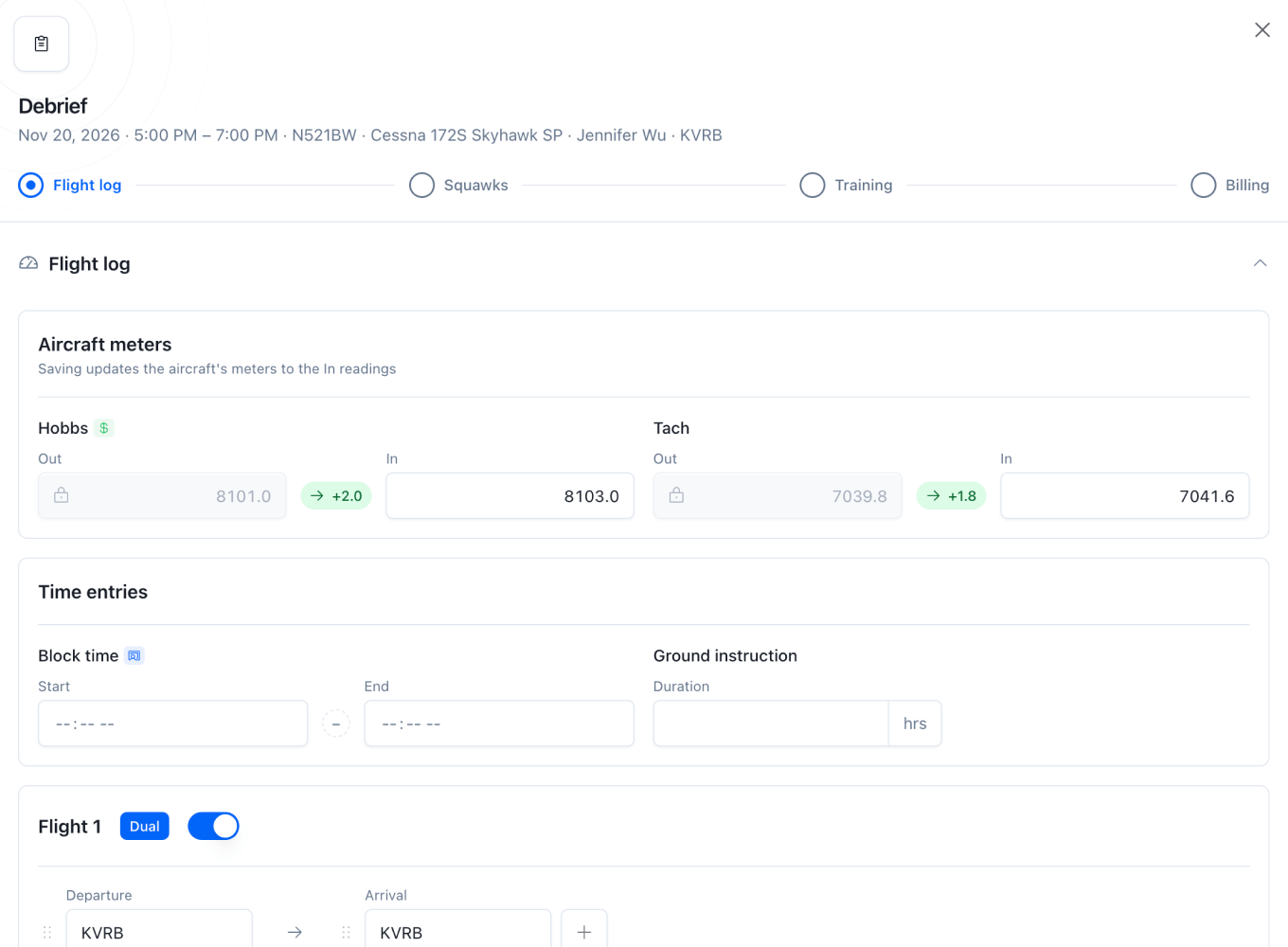
Debrief. Enter Hobbs and tach, flight times, landings and lesson grades on the booking after each flight. Aircraft hours, inspection due times, the student's progress and the draft invoice are all updated from that one entry.
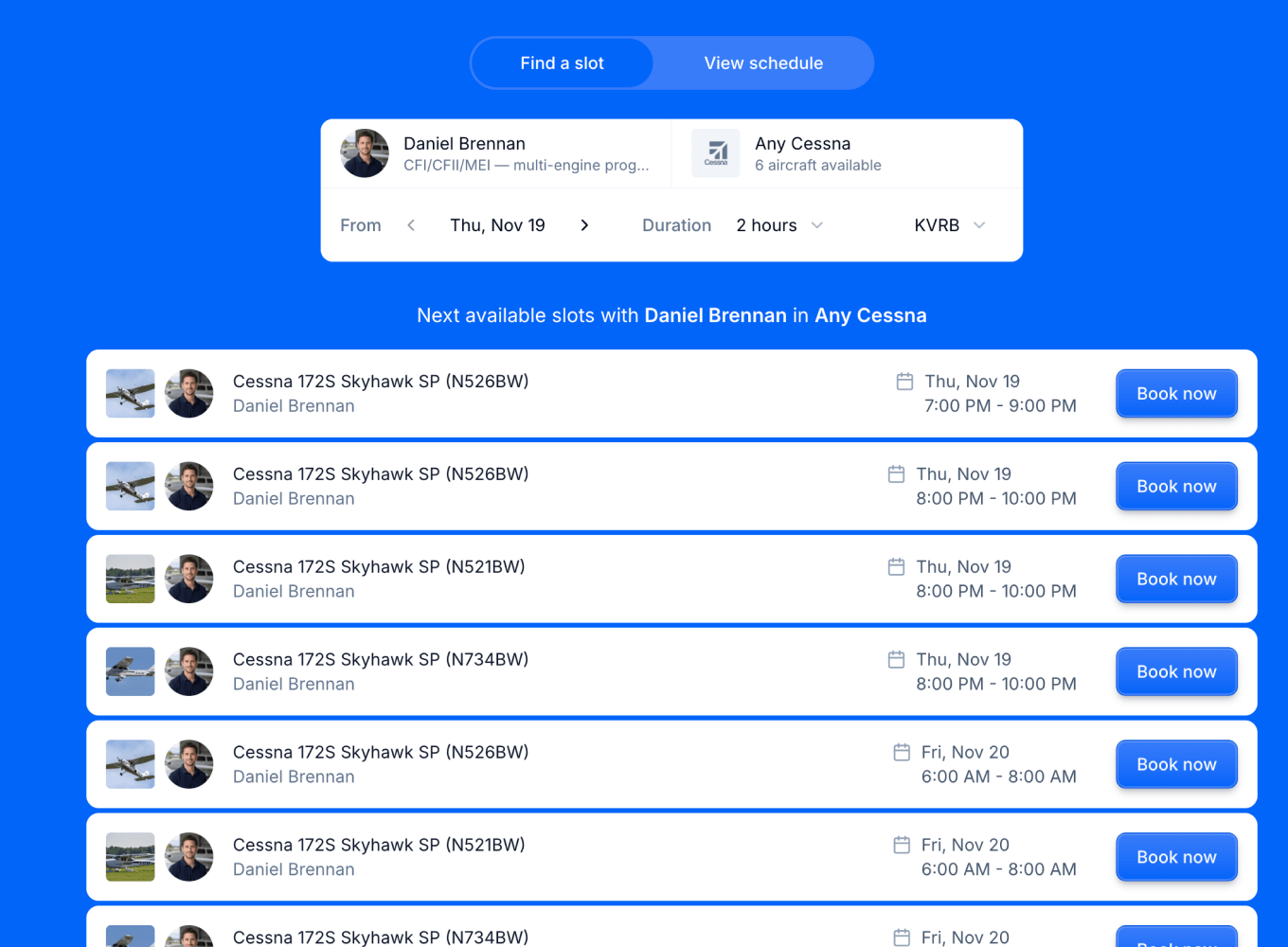
Find a slot. Let students search by instructor, aircraft or “any Cessna,” date and duration. Only times when everyone is free are listed, within your booking rules, the instructor’s working hours and the student’s preferred hours.
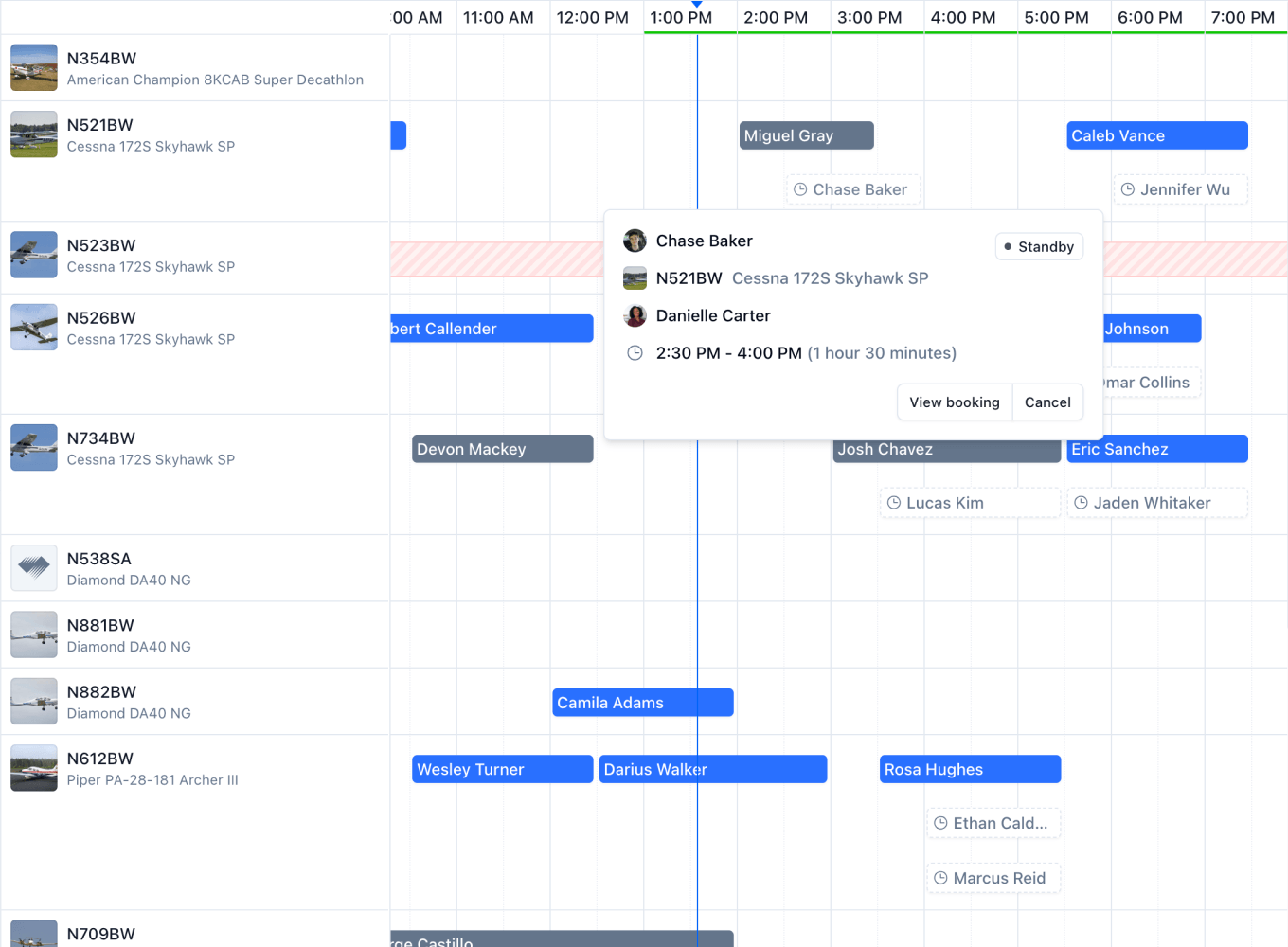
Standby list. Let students join the standby list when a slot is taken. If the slot opens, it goes to the oldest standby request that fits, and everyone involved gets an email.
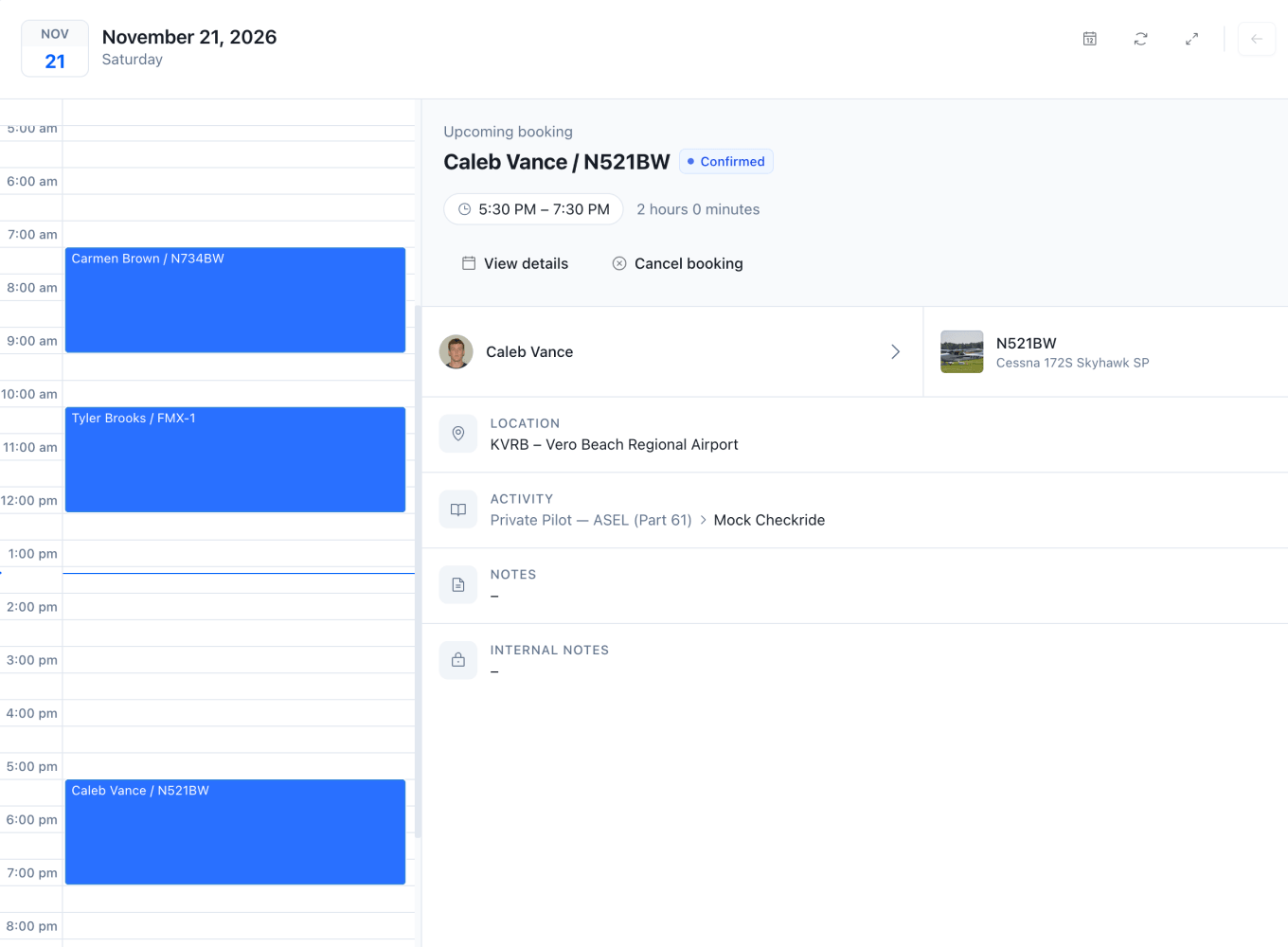
My day. Show each instructor only their own bookings for the day, with the student, aircraft, planned lesson, and notes for the student and staff. The day’s bookings are also emailed to them every morning.
Recurring bookings. Repeat a booking every week or every two weeks, for up to 12 weeks. Every date is checked against your rules before the series is created, and one email is sent for the whole series.
Approvals. Choose who approves bookings at each location, and let instructors confirm their own bookings and approvers confirm from the email. Confirmed bookings that a student changes go back to pending.
Notifications. Keep pilots, instructors and approvers informed with an email when a booking is created, changed, confirmed or canceled, and remind pilots 24 hours before each booking. Let each user choose which emails they receive.
Calendar feeds. Let students and instructors subscribe to their bookings in Google Calendar, Apple Calendar or Outlook, with the airport address and the people on each event.
Ask Tailplane. Ask "Show the bookings for tomorrow," or let students ask "Find me a slot with an instructor on Saturday." Changes are made only after the user approves them.
Scheduling reports. Compare booked hours and bookings for each aircraft and instructor with an earlier period. Check each location's daily summary for bookings by hour, aircraft utilization and the change from the day before.
Track aircraft and maintenance
Progress tracking and records
SMS and regulatory compliance
Invoicing and online payments
Self-service for students
Ask questions and make changes by chat
Create your school's website