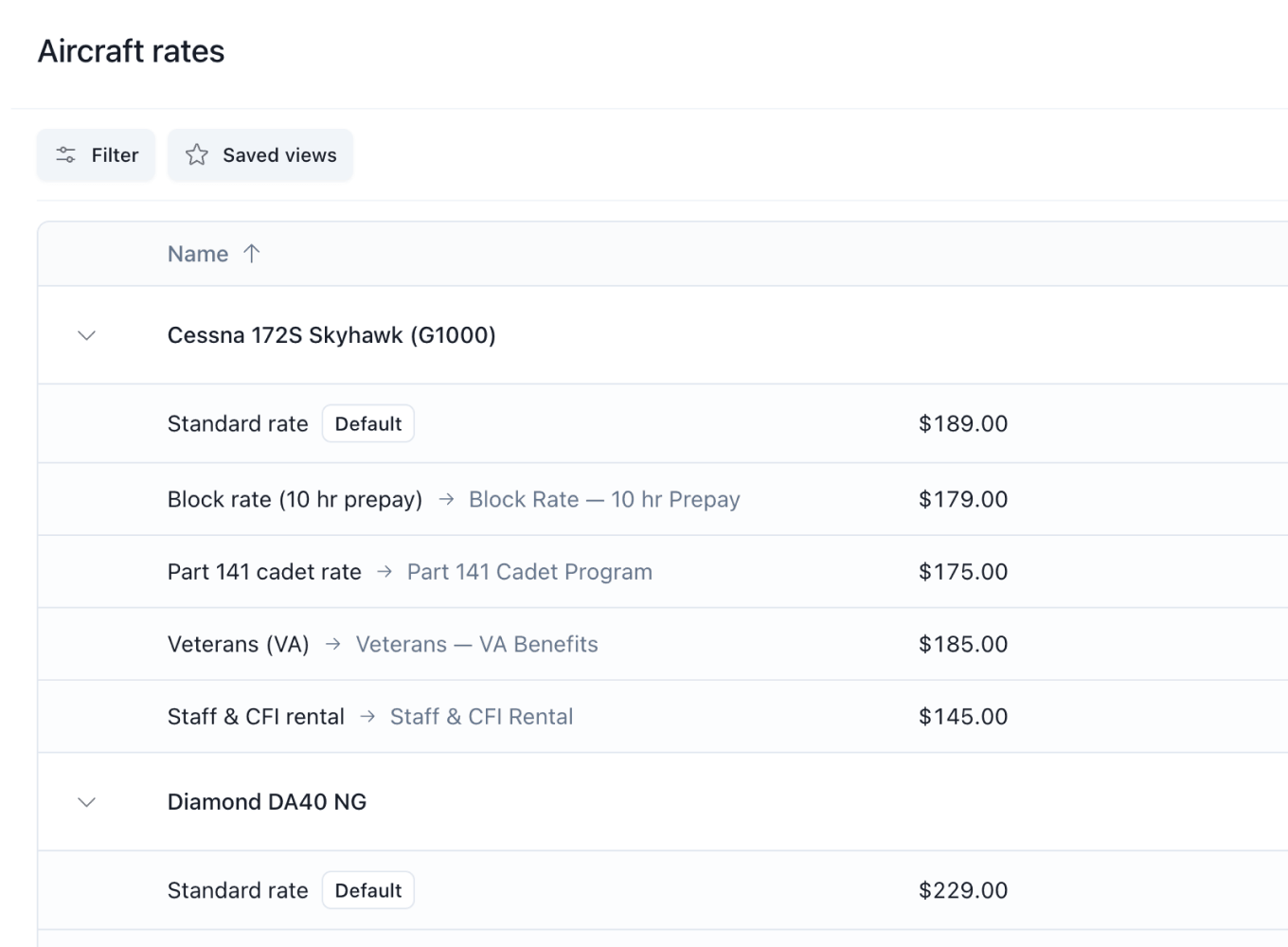
Rate cards and student groups. Define your own student groups and give each one its own hourly price on every aircraft and instructor rate card, with a tax rate for each card. Choose whether each aircraft is billed by Hobbs, tach or block time.
Start every invoice from the debrief, with aircraft time, instruction and airport fees already priced from your rates. Take card and bank payments online, or record cash, checks and transfers, and see all of them in student balances and revenue reports.
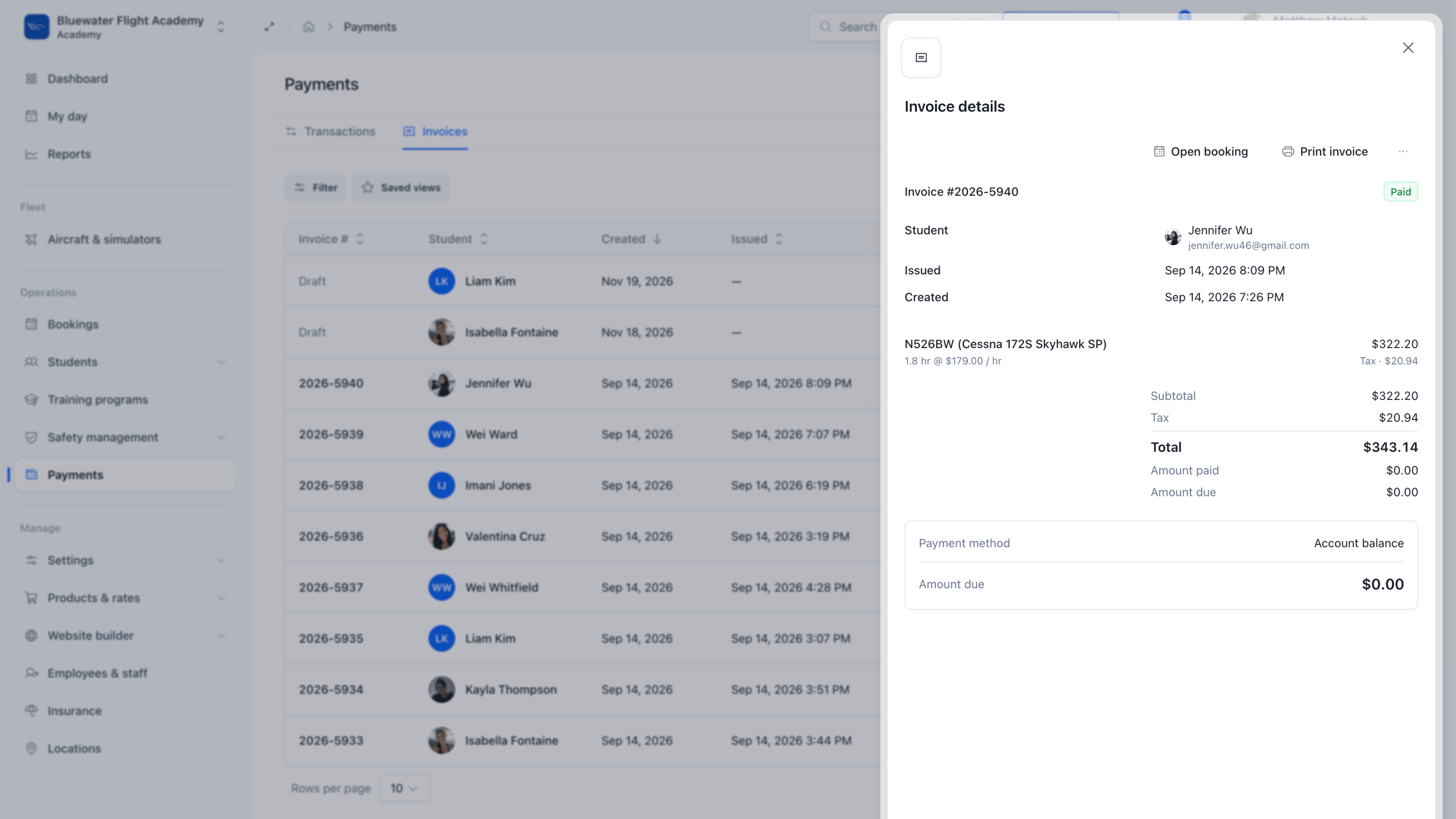
Invoices from the flight log. Add products such as fuel or headsets, or change any line before you charge. The draft is recalculated each time the flight log changes, and lines you edited are kept.
Charge and close. Charge the invoice to the student's balance, saved card or bank account as you close the debrief, and email them the PDF automatically.
Airport fees. Set landing, touch-and-go, approach, parking and handling fees for each airport and currency, and charge them from the landings recorded on each flight.
Set prices for each aircraft, instructor and student group, in every currency your bases accept.
Rate cards and student groups. Define your own student groups and give each one its own hourly price on every aircraft and instructor rate card, with a tax rate for each card. Choose whether each aircraft is billed by Hobbs, tach or block time.
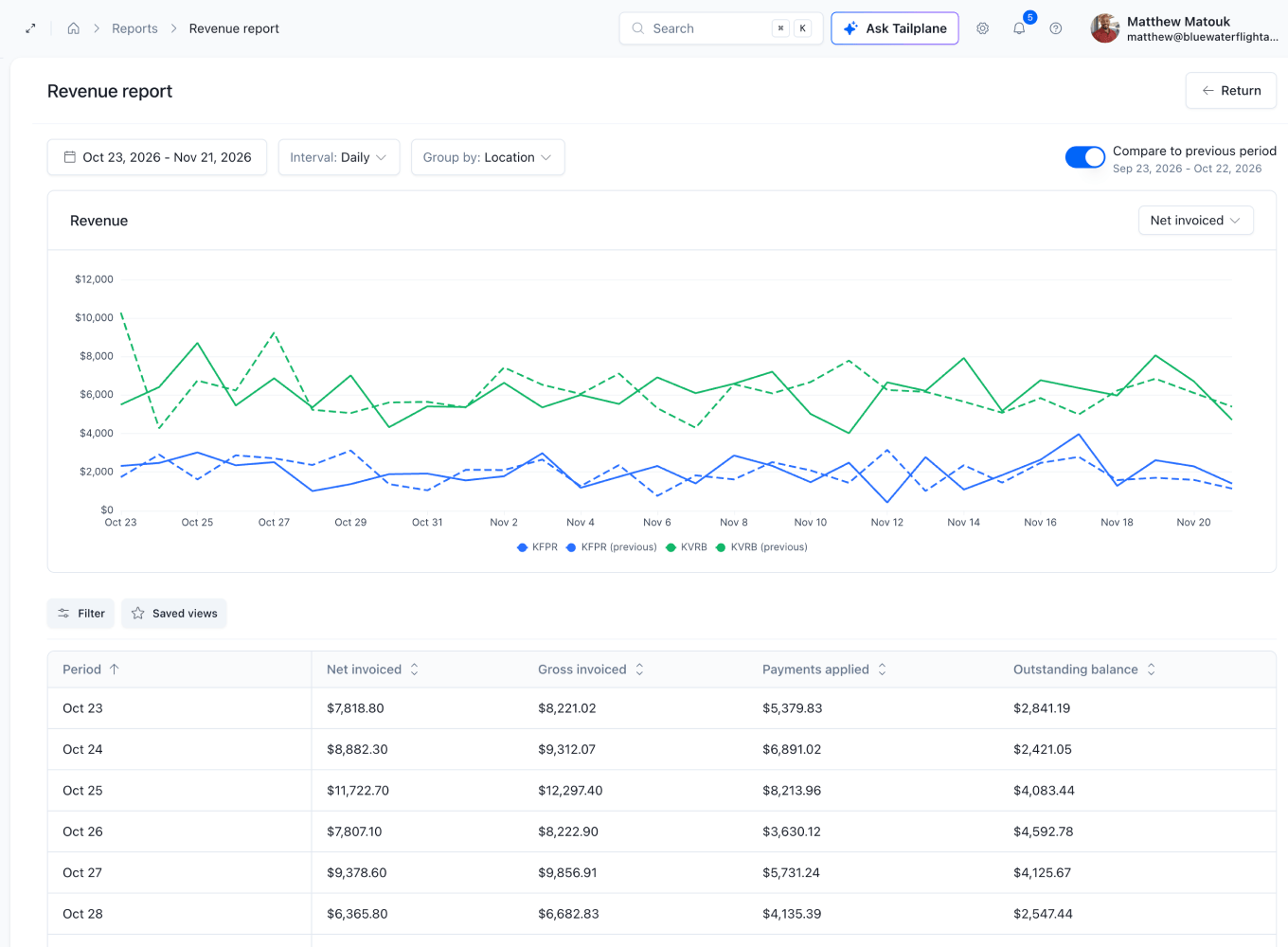
Revenue reports. Compare net and gross invoiced amounts, payments and outstanding balances by location, aircraft, model or booking type with an earlier period.
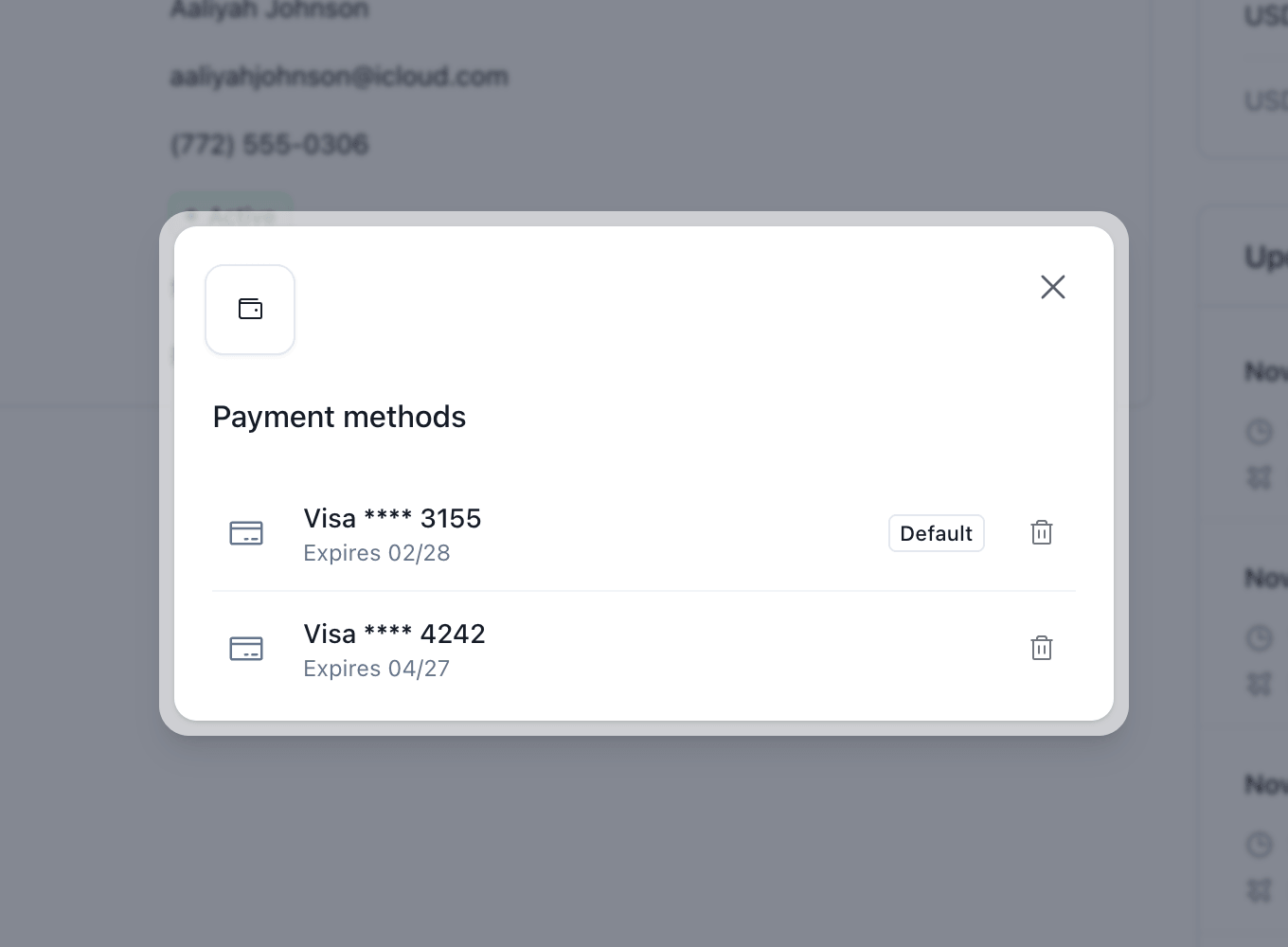
Online payments. Let students pay by card or bank debit, save their payment details and add funds from the student portal, with payouts to your own bank account.
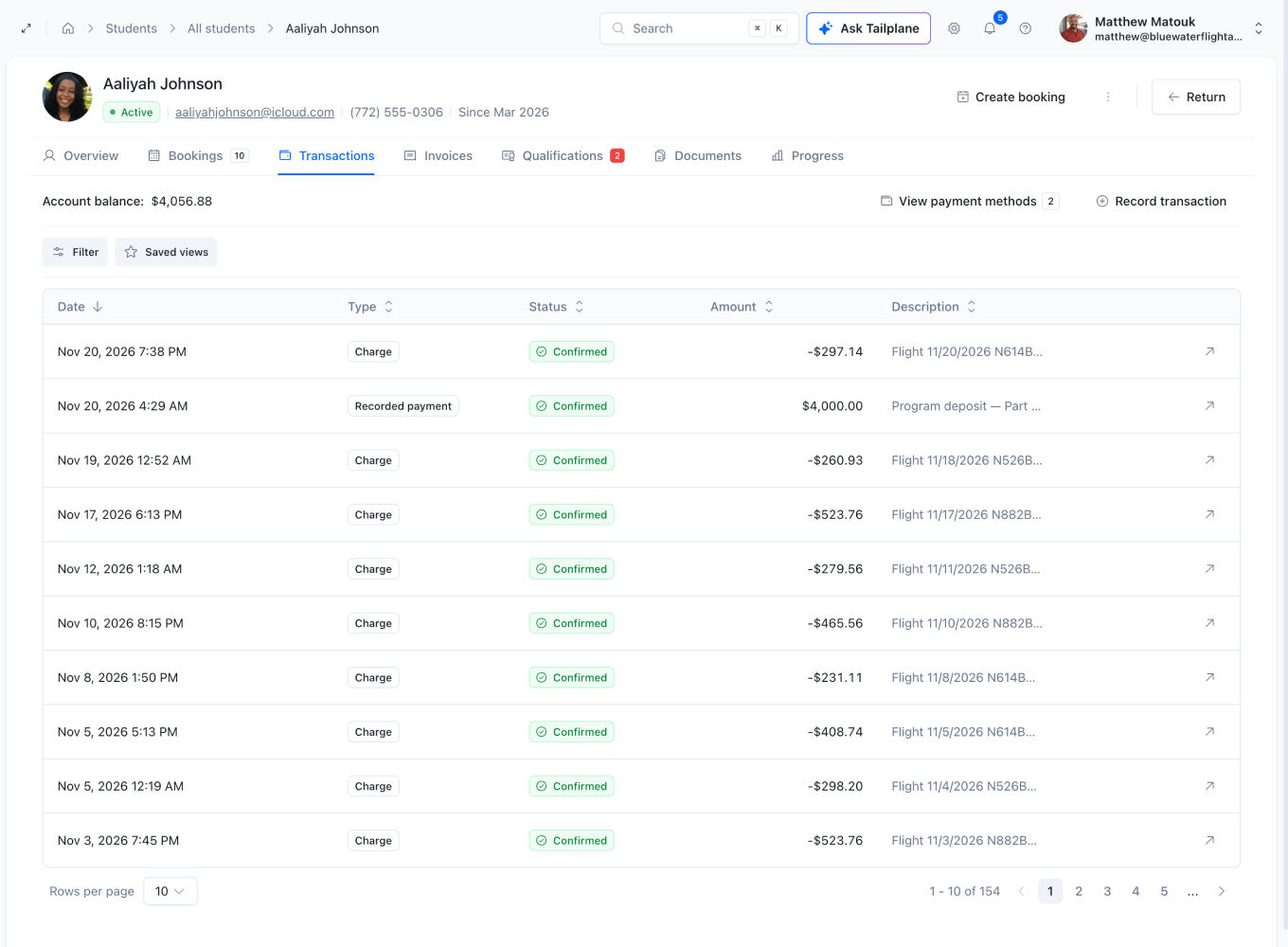
Cash, transfers and other methods. Record cash, checks, bank transfers and card terminal payments with a reference, or issue an invoice and collect later. See them in the student's balance and your reports alongside online payments.
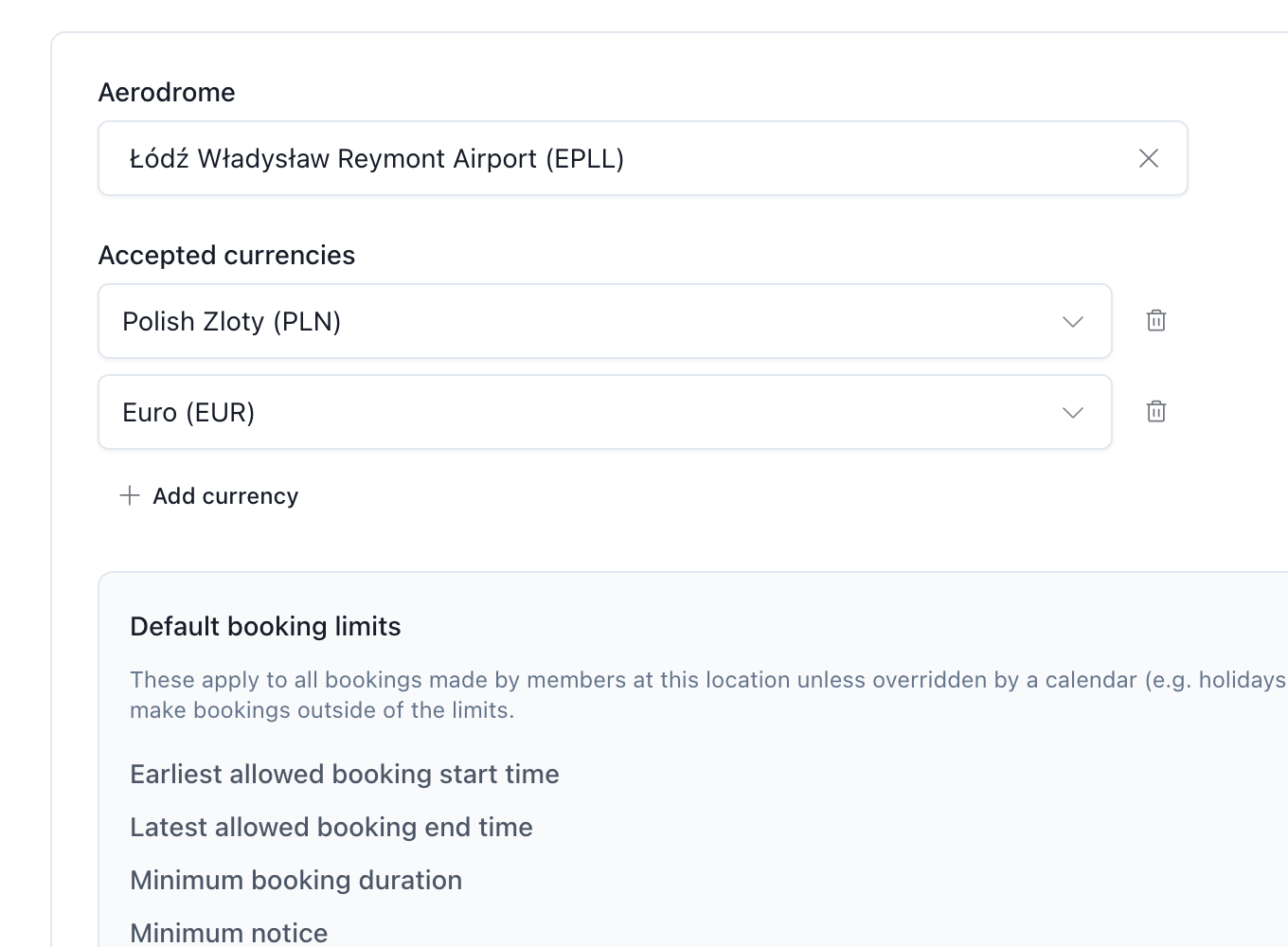
Multiple currencies. Accept different currencies at each base, and keep a separate balance in each currency on every student account. Prices not set in the invoice currency are converted at the day's exchange rate, with the rate shown on the line.
Student accounts. See each student's charges, payments, refunds and adjustments, with a balance in each currency and a converted total.
Refunds and voids. Refund a payment in full to its original method, or void an invoice to refund it and issue a credit note.
Products. Add fuel, headsets, logbooks and other items to any invoice, each with its own unit, price and tax rate.
Tax rates. Start with your country's sales tax or VAT, and set the tax rate on any invoice line.
Invoice numbers and PDFs. Issue invoices numbered in order each year, with PDFs in each student's own language.
Ask Tailplane. Let students ask "What is my balance?" and get the answer from their account.
Aircraft and instructor scheduling
Track aircraft and maintenance
Progress tracking and records
SMS and regulatory compliance
Self-service for students
Ask questions and make changes by chat
Create your school's website