Flight School Management System
A flight school management system is software that runs the daily work of a flight school or flying club: aircraft reservations, aircraft hours and maintenance, training records, billing and often a safety management system. Students and renters use it to book and pay. Staff use it to dispatch, grade and invoice.
Recording one flight in several tools
Without one system, the same flight is typed in several places. A school with 10 aircraft and three flights per aircraft each day has 30 flights to record. If each flight goes onto a dispatch sheet, into a maintenance spreadsheet and into an accounting program, that is 90 entries a day, and each copy can disagree with the others.
What to compare between systems
- Training frameworks. FAA Part 61 and Part 141, EASA Part-FCL, UK CAA or Transport Canada syllabi, and whether you can build your own.
- Billing basis. Hobbs, tach or block time for each aircraft, prices for each customer group, and several currencies if you operate across borders.
- Self-service. What students and renters can do themselves: book within your rules, pay, see their progress, report a safety event.
- Safety management. Confidential and anonymous reports, a risk matrix, corrective actions and authority reporting.
- Pricing model. Per user, per active student, per aircraft or a flat plan. Count your instructors and part-time staff before you compare.
- Your data. Import from spreadsheets at the start, and export at any time.
Connect each flight to the schedule, fleet, training and billing
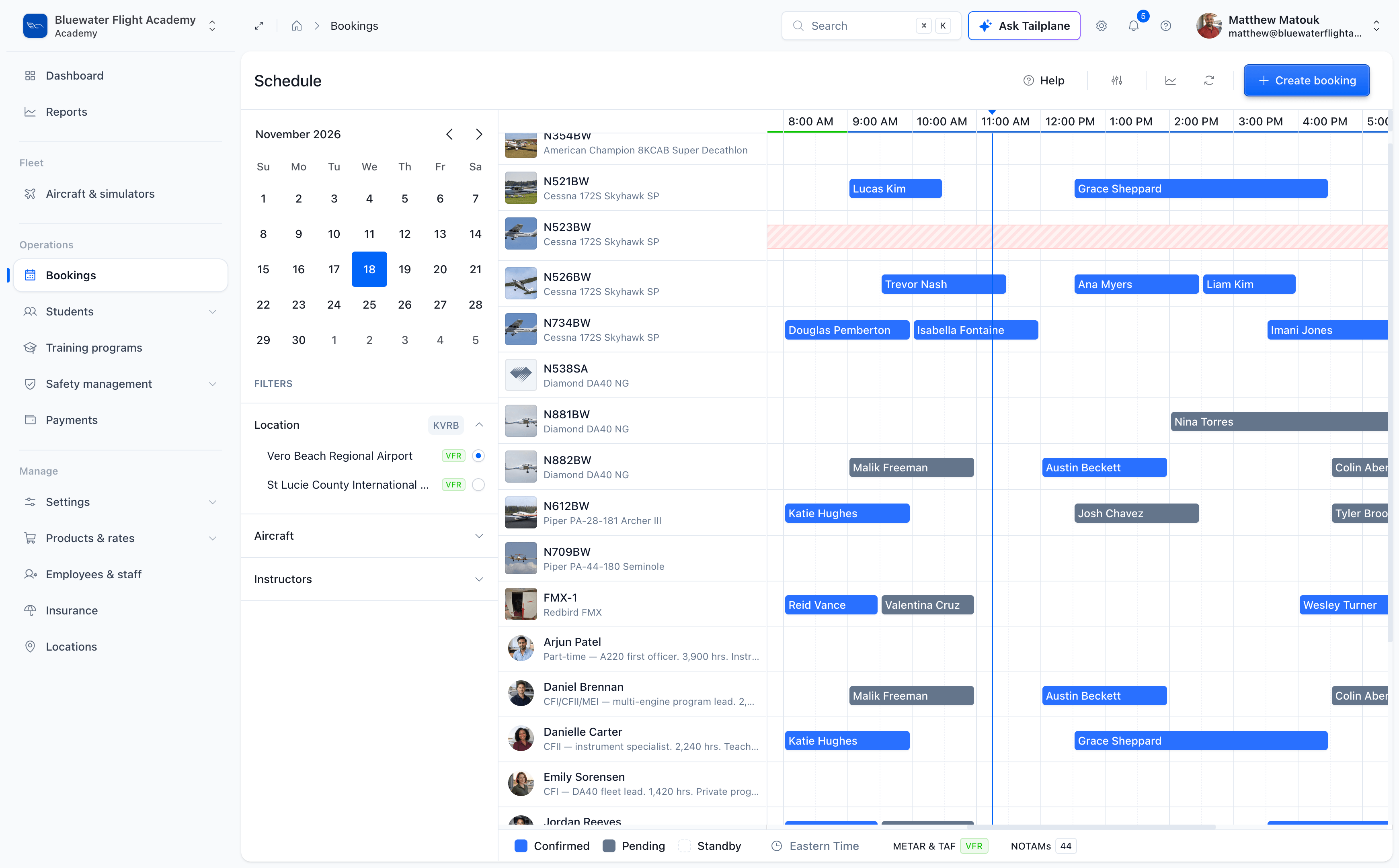
Book aircraft, simulators, instructors and classrooms on one schedule, with booking rules for each location. After the flight, record the postflight debrief on the booking: Hobbs and tach, time entries, landings and lesson grades. That one entry updates:
- the aircraft's meter readings and the hours left on each inspection (fleet and maintenance)
- the student's training progress (students and training)
- the draft invoice, priced from your rates (payments)
Students book, pay and follow their training in the student portal. Safety reports, hazards and corrective actions run in the safety management system, in the same account.
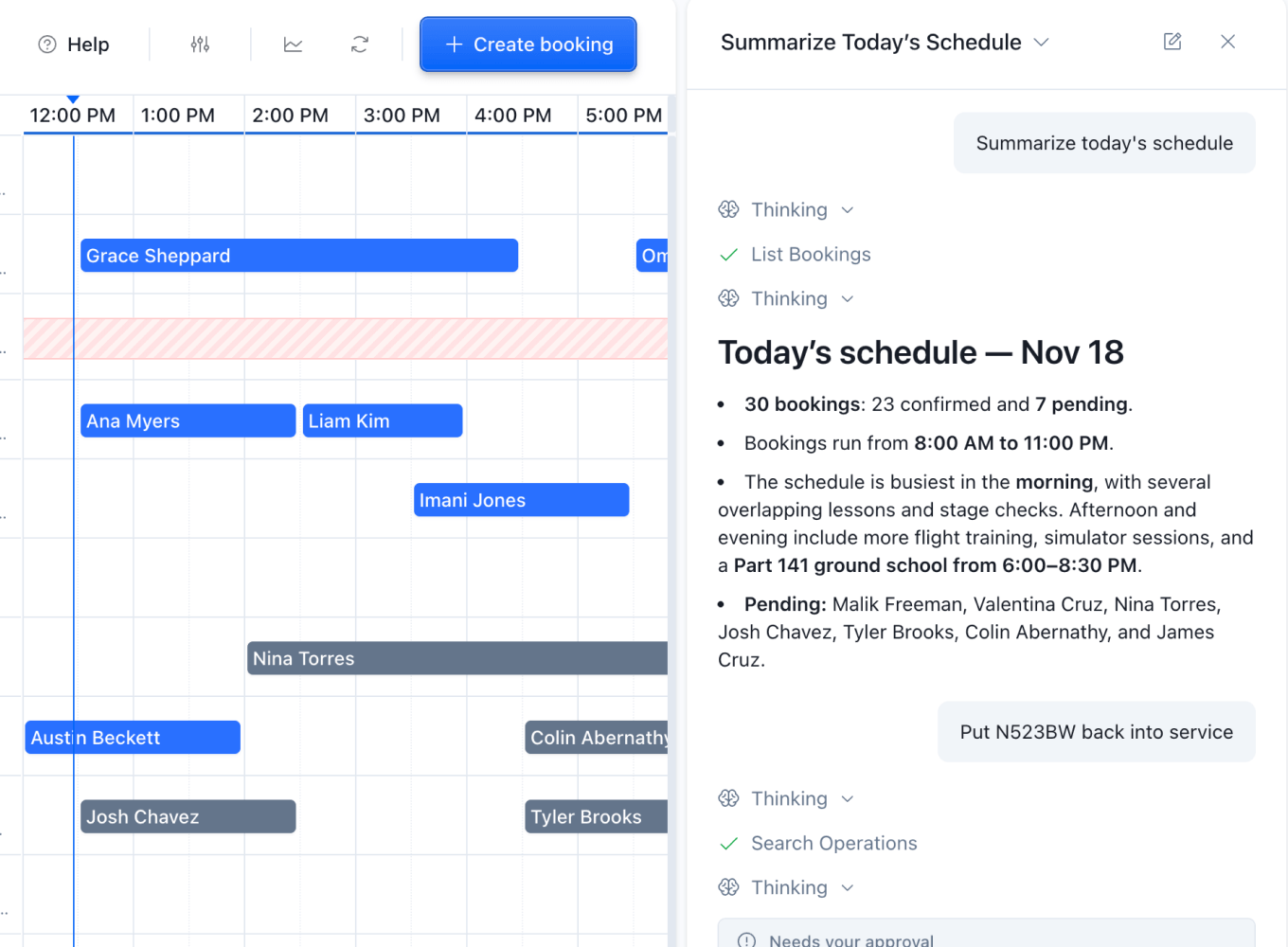
Ask the AI assistant questions such as "Show the bookings for tomorrow" or "Which safety actions are overdue?". Each change appears on a card, and nothing is saved until you approve it. See how flight schools and flying clubs use it.