Corrective Action
A corrective action removes the cause of a safety problem so that it does not happen again. It comes out of an investigation, a hazard report or an audit finding.
A correction, such as replacing a missing fuel cap, fixes the problem in front of you. The corrective action removes the reason the cap was missing: a fuel cap check on the post-fueling checklist, and a briefing for every instructor.
Write an action that someone can close
| Weak action | Strong action |
|---|---|
| "Pilots to be more careful when fueling" | "Add 'fuel caps secured' to the post-fueling checklist for all C172s" |
| No owner | Owner: maintenance coordinator |
| No date | Due: 15 December |
| Closed when done | Closed after a check that it worked |
Write down how you will check that the action worked before you start it. For the fuel cap example: sample 20 post-flight inspections in the next 60 days and count missing caps. If caps are still missing, the action did not remove the cause.
Why actions stay open
- The owner is a group, such as "instructors", so nobody acts.
- The due date is far away, so the action drops off everyone's list.
- The action closes when it is done, before anyone checks the result.
Review open and overdue actions at every safety meeting. The safety officer usually runs that review.
Assign, verify and close actions
Add an action to a safety report or a hazard, with a title, a description, the person responsible and a due date. Each action gets a number such as ACT-2026-0001 and starts as Planned.
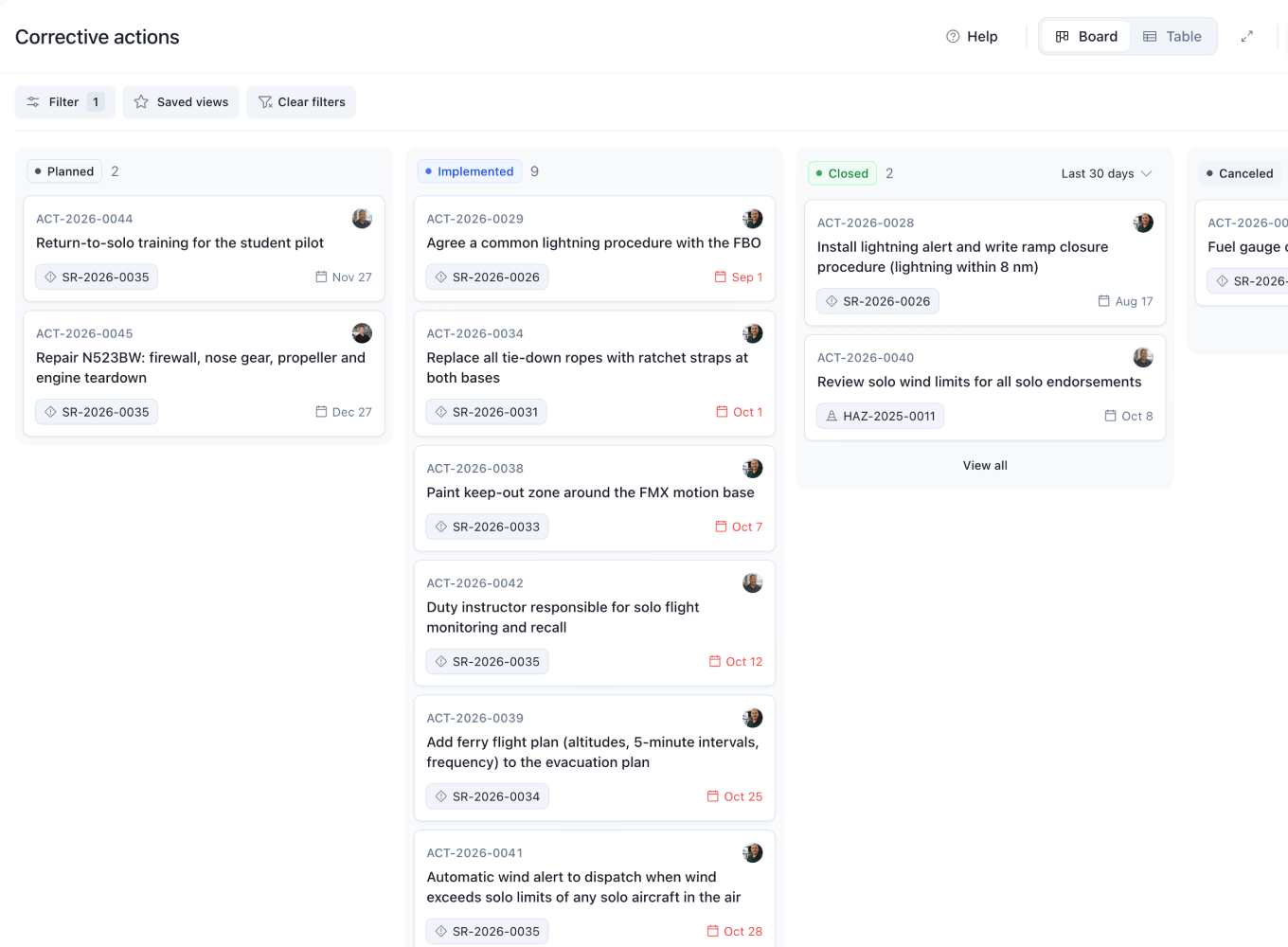
The person responsible marks the action Implemented. Staff who manage safety actions then check that it worked and close it, or send it back to Planned with a reason. A cancellation also needs a reason, and each status change is recorded with the person, time and note.
The person responsible gets an email when they get an action, when its due date changes and when it is sent back. Every day at 09:00, each person gets a list of their overdue actions, and the Safety manager position holder gets all of them. A report cannot close, and a hazard cannot be marked Mitigated, while it has open actions.
Ask the AI assistant "Which safety actions are overdue?" to get the list as a table. See safety management.